Azure DevOps(Beta)
Visit Config UI at: http://localhost:4000.
Step 1 - Add Data Connections
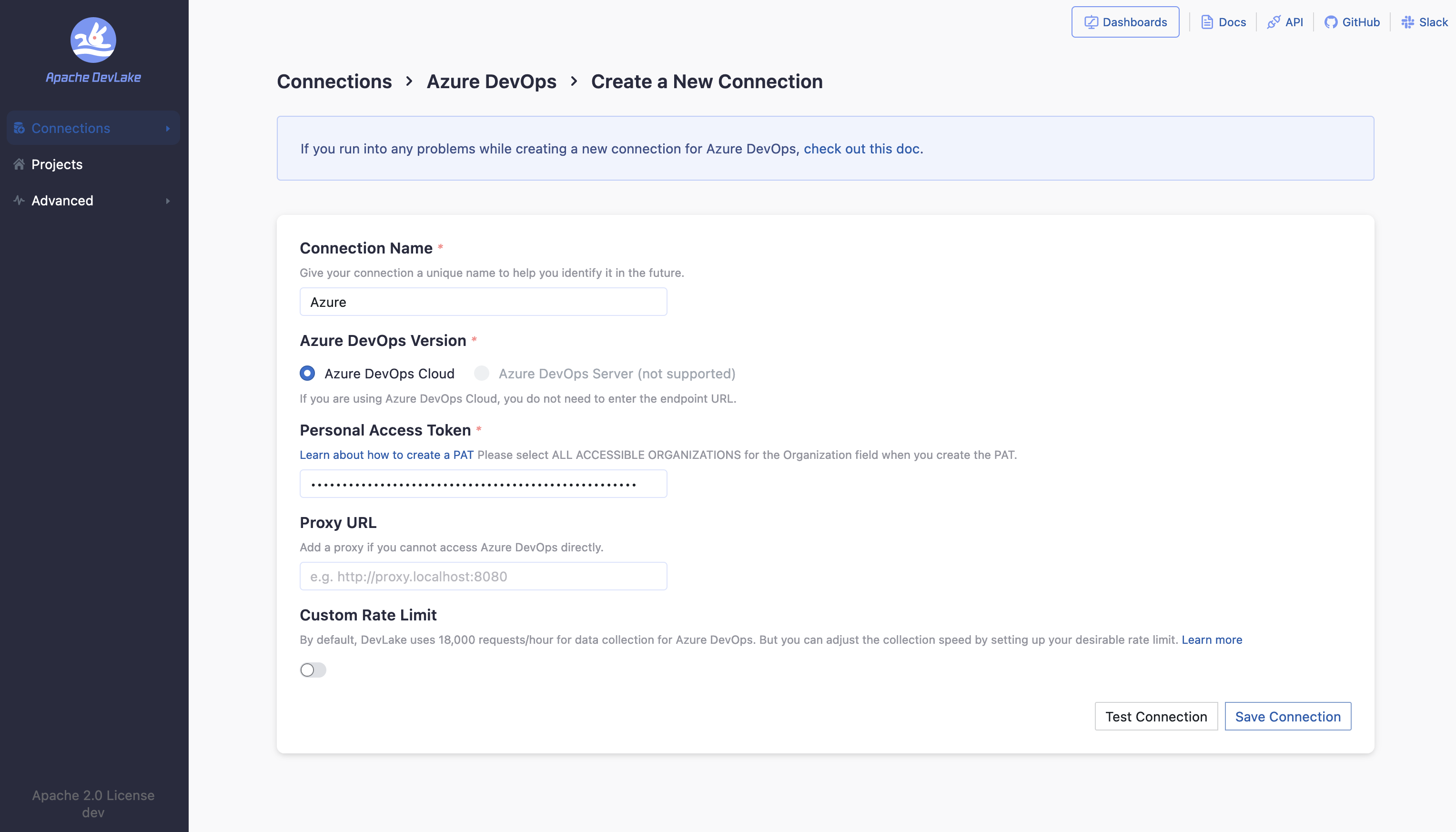
Connection Name
Give your connection a unique name to help you identify it in the future.
Token
Paste your Azure DevOps personal access token (PAT) here. Check Azure's official doc on how to create a PAT. Make sure that the Organization field is set to "All accessible organizations" when creating the PAT.
Test and Save Connection
Click Test Connection, if the connection is successful, click Save Connection to add the connection.
Step 2 - Setting Data Scope
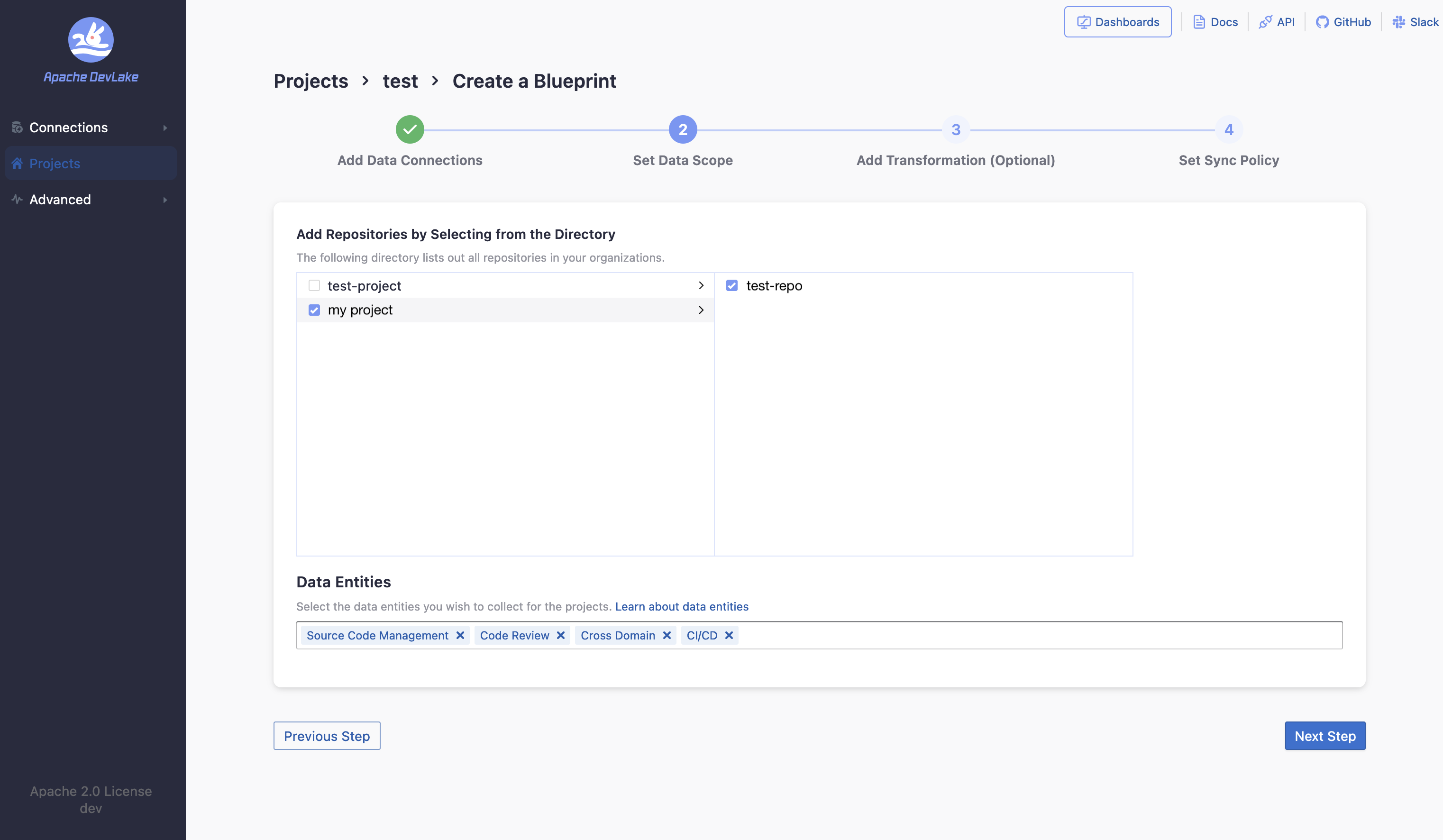
Select repositories
Select the repositories you want to collect data from.
Data Entities
Azure DevOps supports the following data entities.
- CI/CD: builds and jobs.
- Source Code Management: repositories and their commits.
- Code Review: pull requests and their commits.
Step 3 - Adding Transformation Rules (Optional)
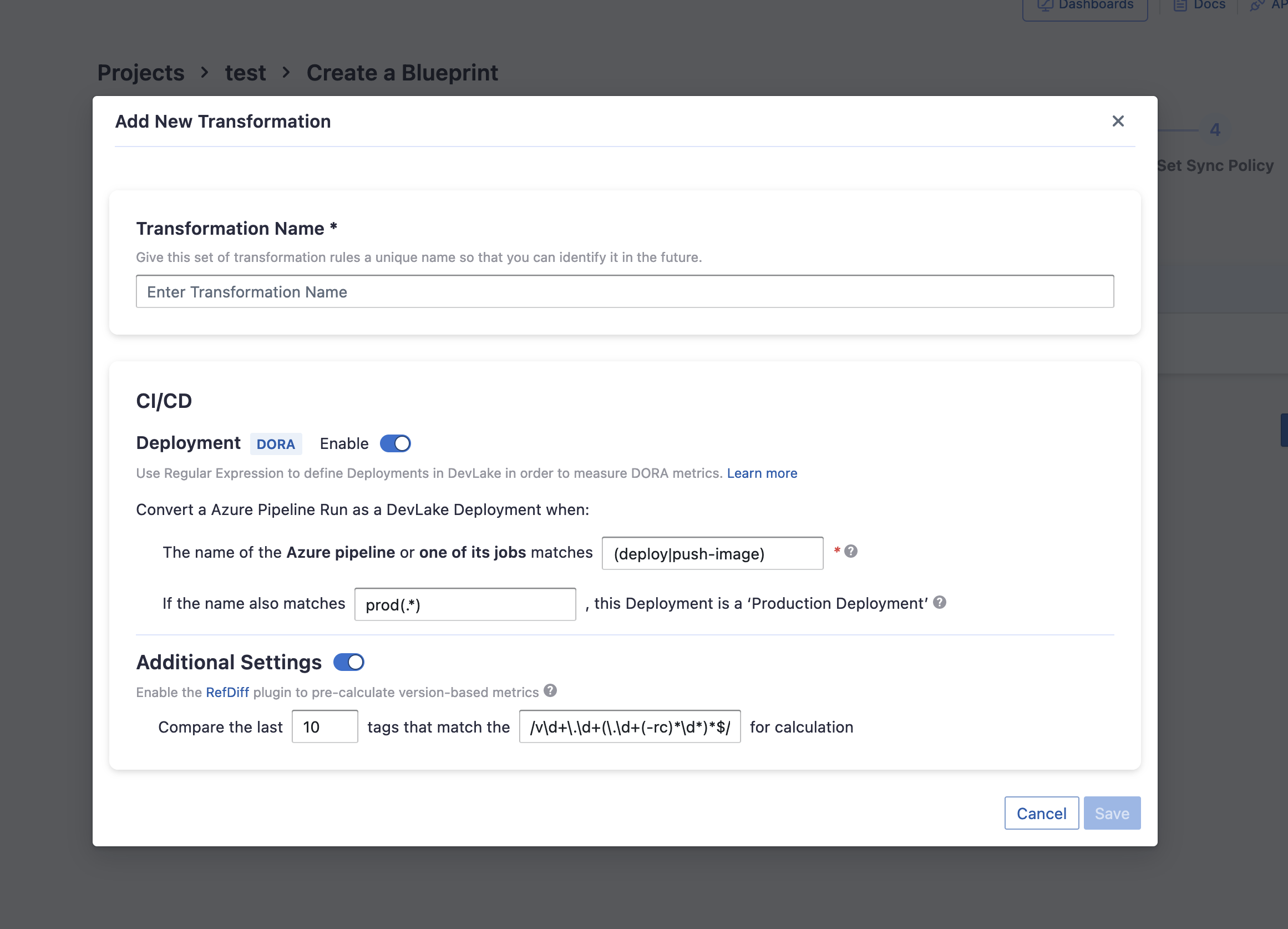
This set of configurations is used for calculating DORA metrics.
If you'd like to define deployments with Azure DevOps, you can set the following options:
- Deployment regex: Azure DevOps builds or jobs whose names match this regex will be registered as deployments
- Production: Azure DevOps builds or jobs whose names match this regex will be assigned environment 'PRODUCTION'
Additional Settings (Optional)
The additional settings are RefDiff options:
- Tags Limit: the number of tags to compare.
- Tags Pattern: Only tags that match the given regex are taken into account.
Troubleshooting
If you run into any problem, please check the Troubleshooting or create an issue